Posts

Showing posts with the label Coding

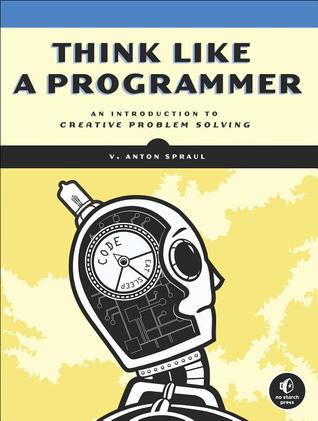
Think Like a Programmer

Image
How? Read this book Why? Because you are to become a software engineer and programming is the basic need, the food for thought of a software engineer especially a programmer software engineer... But... This is too long So what? You have to read it! May be it contains something that is beneficial to you..

Pizza For Free

Image
This is the first version of my code, you can modify it for improvement. I am sharing this code so that you can think about making different kinds of softwares. # -*- coding: utf-8 -*- print("|||||||||||||||||||||||||||||||||||||||||||||||||||||||||||||||||||||||||||||||||||||||||||||||||||||||||||||||") print("") print("\t\t\t\t\t\t WELCOME TO FREE PIZZA MAKER >>> NO MONEY PIZZA") print("\t\t\t\t\t\t\t WE BAKE, YOU TAKE") print(" ") print("|||||||||||||||||||||||||||||||||||||||||||||||||||||||||||||||||||||||||||||||||||||||||||||||||||||||||||||||") orderCount = 0 def pizzaTypesAndSize(orderCount, counterListForPizzaType, counterListForPizzaSize, typeList, sizeList): listComb = [] while(orderCount < 5): #for pizza type print("Please Select the Pizza Type:") countT = 0 for i in (typeList): countT +=1 print(i) print("-----------------------------------------------------...

Turtle : Not Coming Slow

Image
In the above image Mr.Turtle is looking so angry, but don't worry Mr.Turtle, in this blog post we will talk about you, and your family member python ... Python has many family members (libraries) and one of the Graphical User Interface library of python is Turtle Graphics . Have you ever seen Animal Planet and Discovery channels on TV? There discoverers like to discover real pythons and turtles. On the other hand, kids like drawing and coloring them on paper, but programmers are fond of giving commands to computer via python and turtle, and then they make something out of that. Yes, you guessed right! Today we'll have a look at Python Turtle Graphics , so let's begin... Below is a code, which outputs a car and some scenery around it, (Not a real one, just on the screen!) # -*- coding: utf-8 -*- from turtle import * #code for drawing car begins pensize(10) color("red","black") begin_fill() forward(150) print(pos()) sety(100) print...

Math Functions : Beginner's Level

Image
In this blog post, we will see how can we create simple Mathematics functions by using python programming Language, so here we go... #You can add comments in the below code and share it in the comment box :) #comments make the code easy to understand def add(a,b): return(a+b) def sub(a,b): return(a-b) def div(a,b): if a == b: return 1 elif b == 0: return ("Math Error: division by zero") else: return(float(a//b)) def mult(a,b): return(a*b) def power(a,b): c = 1 for p in range(0,b): c *= a return(c) def main(): print("-------------------------------------------") print("The available functions are the following: ") print("1-Addition\n2-Subtraction\n3-Division\n4-Multiplication\n5-Power") counter = 0 while(counter < 20): print("-------------------------------------------") print("") option = input("Enter the number from 1-5 corresponding to the above fu...

Coding : A to Z

Image
Let's learn, how to draw A to Z alphabets using python 3.6: #function for drawing alphabets def alphabet(data): str = "O" dot = " " j = -1 #for drawing A if data == "A": for a in range(4,5): print(str) * a for a in range(1,2): print(str) + (dot)*2 + str for a in range(1,2): print(str) + (str)*2 + str for a in range(1,3): print(str) + (dot)*2 + str #for drawing B elif data == "B": for a in range(4,5): print(str) * a for a in range(1,2): print(str) + (dot)*2 + str for a in range(1,2): print(str) + (str)*3 for a in range(1,2): print(str) + (dot)*2 + str for a in range(1,2): print(str) + (str)*3 #for drawing C elif data == "C": for a in range(4,5): print(str) * a for a in range(1,4): print(str) for a in range(1,2): print(str) + (str)*3 #for drawing D elif data == "D": for a in range(4,5): print(str) * a for a in ra...
Hollow Diamond

Image
Drawing different shapes with the help of coding is quite  enjoyable and interesting. Mostly the first semester students of software engineering encounter with this. so, let us learn, how to draw a hollow diamond using python? First of all declare variables: Diamond consists of two cones , upper cone with pointed top and lower cone with pointed bottom . so let us write the code for the upper cone, but the cone must be hollow: The resultant of this code is as under: Now, write the code for lower hollow cone: The output for this code is: Now, run both the codes simultaneously, and the output is: the reason for this output: This is one of the possibilities of writing code, to get this output. There might be other ways of doing the same task. Keep finding and trying different ways of coding. And do remember: Programming language doesn't matter but logic matters . So, work mainly on logic building .

Julia : A New Programming Language

Image
After So many programming languages both high level and low level, with different names like python, java, C++ and so on, here comes Julia   with all its colors... It first appeared 6 years ago in 2012, but was not stable at that time. The stable version of Julia has been released on 8th of August, 2018. Julia is a high level programming language, the pattern in which Julia's made is called Multi dispatch . Multi dispatch is the process in programming languages that allow the program to decide which polymorphic method or function needs to run at run time. Julia permits both functional and Object Oriented Programming. The file name extension for Julia is .jl  . Julia also provides the Language Shell where you can write code and see the output.  The good news about Julia is that it is very friendly language, it allows C and FORTRAN libraries to be used in it with just a keyword ccall   .   And more importantly, it can be used with all time favorit...

Learn C++ in Depth

Image
I was searching about books related to programming that were written by Pakistani in urdu,  I found this book for C++.  I want to share it so that you can learn C++ easily in depth. so learn and enjoy :)

3 Useful Sites to Practice Coding

Image
If you want to practice coding then this blog post is for you, let me tell you 3 useful websites to practice coding: CodeAcademy  This is a beginner level practice site and is very useful CoderByte  This is an advance level programming practice site TopCoder The name is enough to explain the level Practice and let me know how you find these sites, these are just the few, there are a lot of websites that has made and can make your lives easier at-least at programming level. so happy coding :) 

Calculator Using Python 3

Image
Today I will show you how you can make a simple calculator using python 3, I made this in my 1st semester, kindly find the code below and make sure to understand it well: import math print(" >>> CONSOLED BASED CALCULATOR >>> \n " ) print("This is a consoled Based Calculator , This allowed a user to perform the \n under lying operations:") print(" >>> Addition \n >>> Subtraction \n >>> Multiplication \n >>> Division \n >>> log \n >>> exponent ") print("this is also specially designed for the convertion of a number from degree to radian and vice versa") print("More Over the calculator also allows the user to perform 'TRIGNOMETRIC AND HYPERBOLIC FUNCTIONS' \n like : cos,sin,tan and inverse of all \n also cosh,sinh,tanh and their inverses ") print("'SO GO ON AND US...